
How to Use ICT Index
ICT Index gives you three ways into the same searchable index of Inner Circle Trader videos and X posts. Each section below covers one feature, with tips and examples you can try right away.
Chat — ask questions, get cited answers
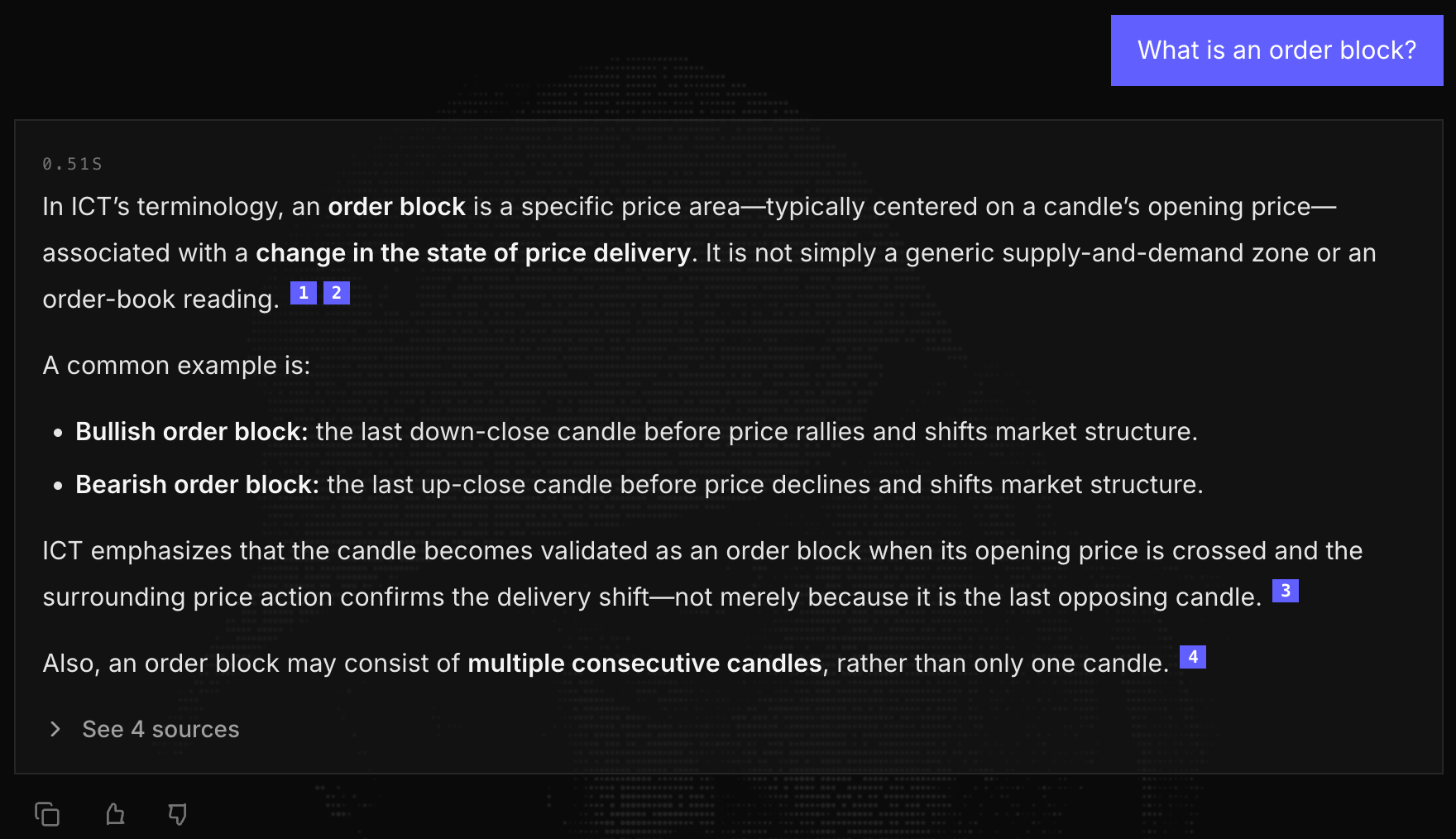
Chat is the home page. Ask a question in plain English and the assistant answers using only what ICT actually said. Every claim carries a numbered citation that links to the exact moment in the source video, so you can verify it yourself.
How to get good answers
- Ask in your own words. There is no special syntax. Plain questions work best, and one concept per question beats a five-part question.
- Ask for comparisons. The assistant is good at contrasting two ideas or explaining how to apply one: try “Compare order blocks and fair value gaps” or “How do I use the New Week Opening Gap?”
- Search the catalog by asking. Questions about the library itself work too: ask what ICT published in a given year, whether a video on a topic exists, or for a list of a series.
- Always check the citations. Click a numbered source to jump to that exact timestamp on YouTube. If an answer seems off, the sources tell you what the assistant was actually working from.
- Rate the answers. The thumbs up/down under each answer help improve the assistant.
Try asking
Asking advanced questions
It handles nuanced, multi-part questions as well. These are reworded versions of real questions from other users:
- For a market structure shift to be valid, does the candle need to close below the swing low, or is a wick through it enough?
- Is an order block still valid once price has traded into its rejection block?
- My daily bias is bullish but price sits inside a series of bearish daily FVGs: should I drop to the 4-hour for entries, or skip the day?
- How much distance to the intended draw does a Silver Bullet setup need before it is worth taking?
- After a turtle soup, is the first presented PD array still the entry when it is a volume imbalance rather than an FVG?
Example output
Part of a real answer to the market-structure-shift question above, exactly as the assistant wrote it. Every claim cites the video and the second it came from:
**The safest “true answer” is: a wick through the swing low can technically show a shift, but ICT’s preferred/convincing MSS requires displacement and a candle close beyond the low.**

In the 2022 Mentorship sources, ICT explains that a market-structure shift is a short-term change in sentiment, not necessarily a full reversal [[13]](https://youtu.be/qUYWVwyRhZs?t=5625s). However, when describing the bearish MSS setup, he specifically says:

- The move should be **quick and energetic**—what he calls displacement.
- A move that only trades through the low with a wick and returns is **“not all that convincing.”**
- He wants to see price **displace and close below the low** [[9]](https://youtu.be/Bkt8B3kLATQ?t=1142s).
- He then uses the displacement range to look for a fair value gap and an entry [[10]](https://youtu.be/Bkt8B3kLATQ?t=1267s).
…
Keyword Search — find the exact moment
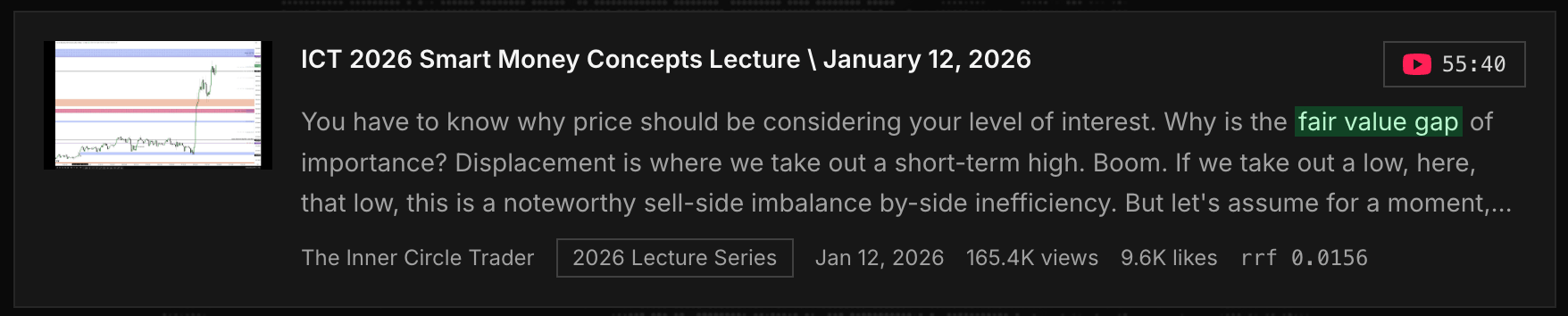
Keyword Search skips the assistant and searches the transcripts directly. Type a term or phrase and get back the passages where ICT said it. Each result highlights your matched terms and carries a timestamp chip that jumps to that moment in the video.
How to search effectively
- Search the phrase ICT would say. Distinctive terms like “fair value gap”, “silver bullet”, or “judas swing” land better than generic words like “strategy”.
- Narrow with the Category filter when a term appears everywhere and you only care about one slice of the content.
- Switch the sort to match your goal. Relevance is the default; Most Recent finds the latest mention of a concept, Most Views surfaces the popular teachings of it.
- Raise the result limit (20 up to 80) when you want every mention, not just the top matches.
- Click the timestamp, not just the title. Each result links to the precise second in the video, so you never scrub through an hour of footage.
Try searching
Index Library — browse everything
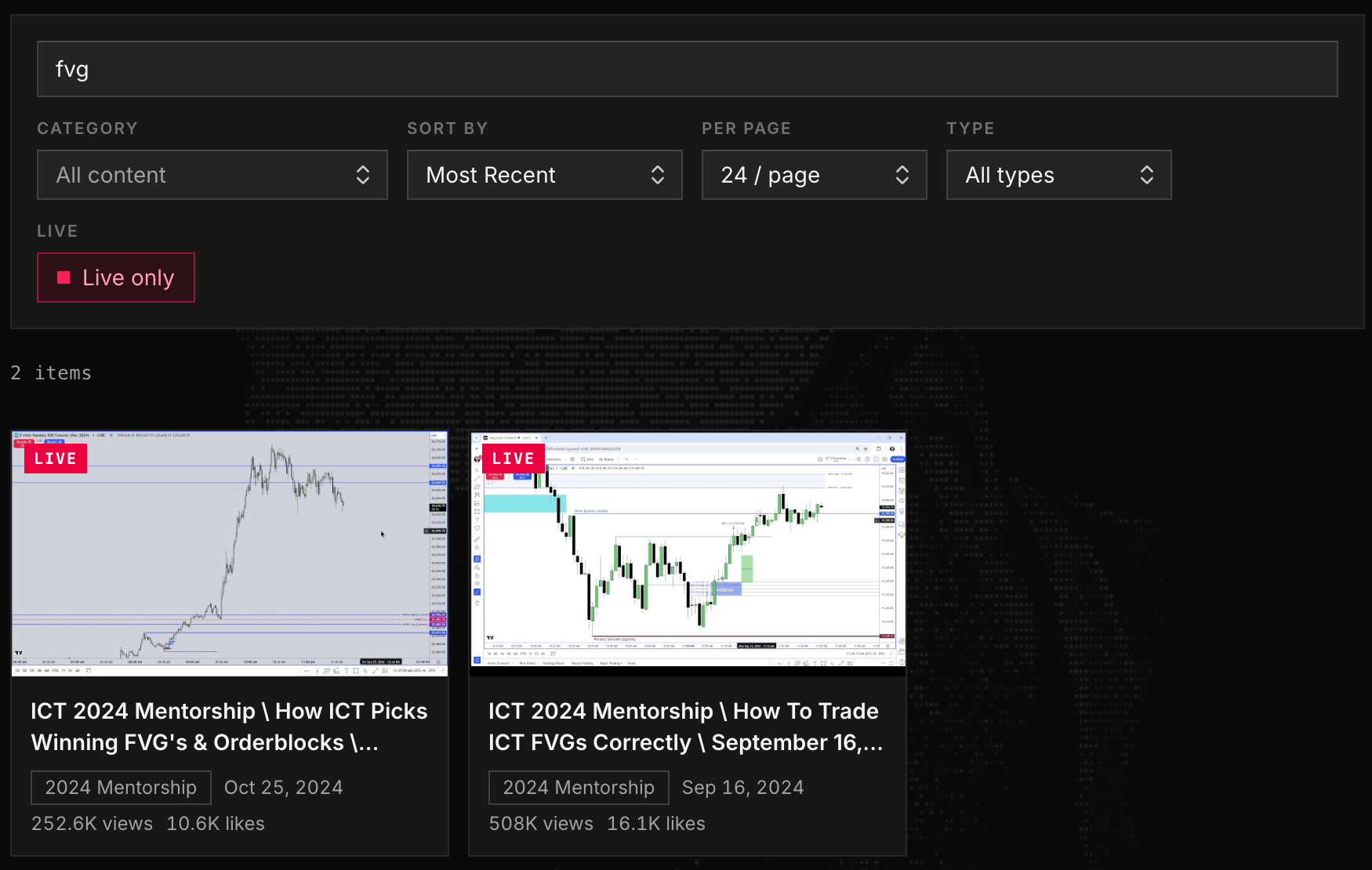
The Index Library puts the full corpus, every indexed video and X post, in one filterable grid. Use it when you want to browse rather than ask: catch up on recent uploads, work through a category, or check whether a specific video is in the index.
How to browse effectively
- Filter as you type. The text filter matches titles, tags, and post text instantly. There is no submit button.
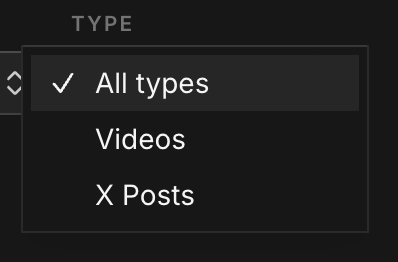
- Use the Type dropdown to show only Videos or only X Posts, and the Category dropdown to focus on one kind of content.
- Flip on “Live only” to show only the livestream sessions.
- Sort by likes or views to find the community favorites, or by Least Recent to start from the oldest material and work forward.
- Bump the page size (24 / 48 / 96) when you would rather scroll than paginate.
Pick the right tool
- “I want to understand a concept” → Chat. You get a synthesized, cited explanation instead of raw transcript passages.
- “I remember ICT saying something specific” → Keyword Search. It finds the exact passage and the exact second it was said.
- “I just want to look around” → Index Library. Browse, filter, and sort the whole corpus.
Whichever you use, the answers and results always point back to ICT’s original content. This is an educational tool, not financial advice, so verify everything at the source.